

AI Captions
Captions in minutes, not days
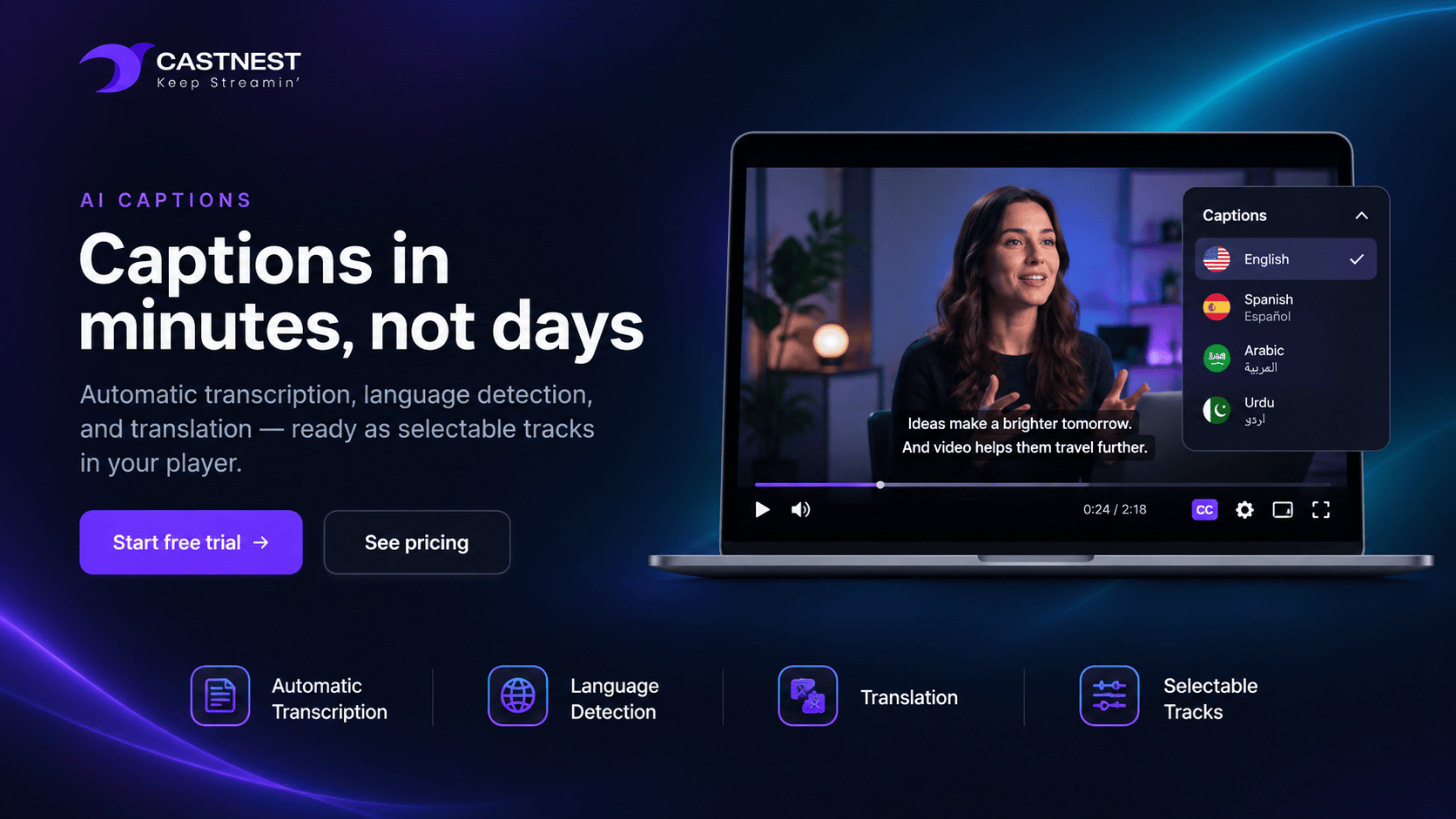
CastNest transcribes your video automatically, detects the spoken language, and can translate the result into another — each one a selectable track in the player.
At a glance
- AI subtitles included from the Growth plan
- AI translation included from Premium
- Manual VTT, SRT or TXT upload on any plan
- Automatic language detection
What ai captions and translation gives you
Captions make your videos easier to follow for deaf and hard-of-hearing viewers and for anyone watching without sound. Automatic transcription helps you caption an existing library with less manual work. Review generated captions for accuracy before publishing.
Automatic transcription
Start a caption job on any video and CastNest transcribes it into a WebVTT track. The language can be set explicitly or detected from the audio.
Translation into another language
Once a caption track is finished, translate it into a second language and it becomes another track — the same video reaching an audience that does not share its language.
Bring your own captions
Already have a transcript? Upload a VTT, SRT or plain text file and it is attached as a track alongside the generated ones.
Selectable in the player
Every finished track appears in the caption menu, labeled by language, so the viewer chooses. Detected languages are marked as such.
Major languages covered
English, Spanish, French, German, Portuguese, Italian, Arabic, Urdu, Hindi, Chinese, Japanese and Russian are all labeled natively, with the available list served by the platform.
Caption your existing library
Caption jobs work on uploaded video and on recordings of finished broadcasts, so an existing archive can be worked through rather than left as it is.
Frequently asked questions
Common questions about ai captions and translation on CastNest.
How do AI subtitles work on CastNest?
You start a caption job for a video and CastNest transcribes the audio into a WebVTT track. You can name the spoken language or let it be detected. When the job finishes, the track is attached to the video and appears in the caption menu.
Which languages are supported?
English, Spanish, French, German, Portuguese, Italian, Arabic, Urdu, Hindi, Chinese, Japanese and Russian are labeled natively in the player, and the selectable list is served by the platform rather than fixed in the interface, so it can grow without a change on your side.
How does translation differ from transcription?
Transcription produces captions in the language actually spoken. Translation takes a finished caption track and renders it into a second language, added as its own track. So a single English talk can carry English, Spanish and Arabic captions, each selectable by the viewer.
Can I upload captions I already have?
Yes, on any plan. WebVTT, SRT and plain text files are accepted up to 5 MB and are attached as a track like any generated one, which is useful when a transcript has been professionally checked.
Which plans include this?
AI subtitles are included from the Growth plan upwards, and AI translation from Premium upwards. Manual caption upload is available on every plan, including Starter.
Do captions help SEO?
Indirectly but genuinely. A caption track gives search engines text describing what is actually said in the video, which a bare video file cannot offer. Combined with a descriptive title and page copy on your Nest, it gives a video page something to rank on.
Works well with
Video Hosting
Upload once and CastNest transcodes, stores and streams your library from a global CDN — with your branding on the player and none of the distractions of a public video site.
Video Nest
Video Nest is a branded video site that CastNest builds around your content — on your own domain, in your own colors, with the pages, categories and series you choose.
Video Analytics
Live viewer counts during the broadcast, and retention, geography and device breakdowns once it ends — across every destination you streamed to.
Get ready for your next broadcast
Start a 7-day free trial on Starter, connect your destinations and go live. No card required to begin.